Changelog

Follow new updates and improvements to Church Translation.

Chinese, Serbian and Mongolian Phones Can Open the App Again

If a visitor's phone was set to Chinese, Serbian or Mongolian, the app let them down. The translation itself appeared, but the menu button did nothing at all — no settings, no language picker, no archive, no announcements, and no error to explain it. Every other phone language worked normally, which made it hard to spot. This is fixed for everyone on those three languages.

  • The menu opens again: Tapping the menu button now opens it, on every phone language. A visitor can reach the language picker, the archive and their settings the way everyone else always could.
  • The app arrives in their language: A phone set to Chinese now opens in Chinese, and it tells the two apart — Traditional stays Traditional, Simplified stays Simplified. The same goes for Serbian and for Mongolian.
  • Nothing to set up: No setting changed, and there is nothing for you to switch on. The next time an affected visitor opens your QR link, it simply works.
  • The old workaround can be retired: If you have been telling visitors to set their phone to English first, open the link, then pick their language by hand, they can stop. Anyone who did that keeps the language they chose.

One thing worth knowing: the phone's language is only ever a starting point. It is read the first time a visitor opens the app, and after that the language they pick inside the app wins — so a visitor who has already chosen German keeps German no matter what their phone says. If someone was affected and picked English to get around this, they will want to switch to their own language once, in the app.
FixedMobile app

User Management Updates, Online Status Features, and Bug Fixes

We are thrilled to announce a new update bringing enhancements to user management, online activity monitoring, and various improvements within Church Translation.

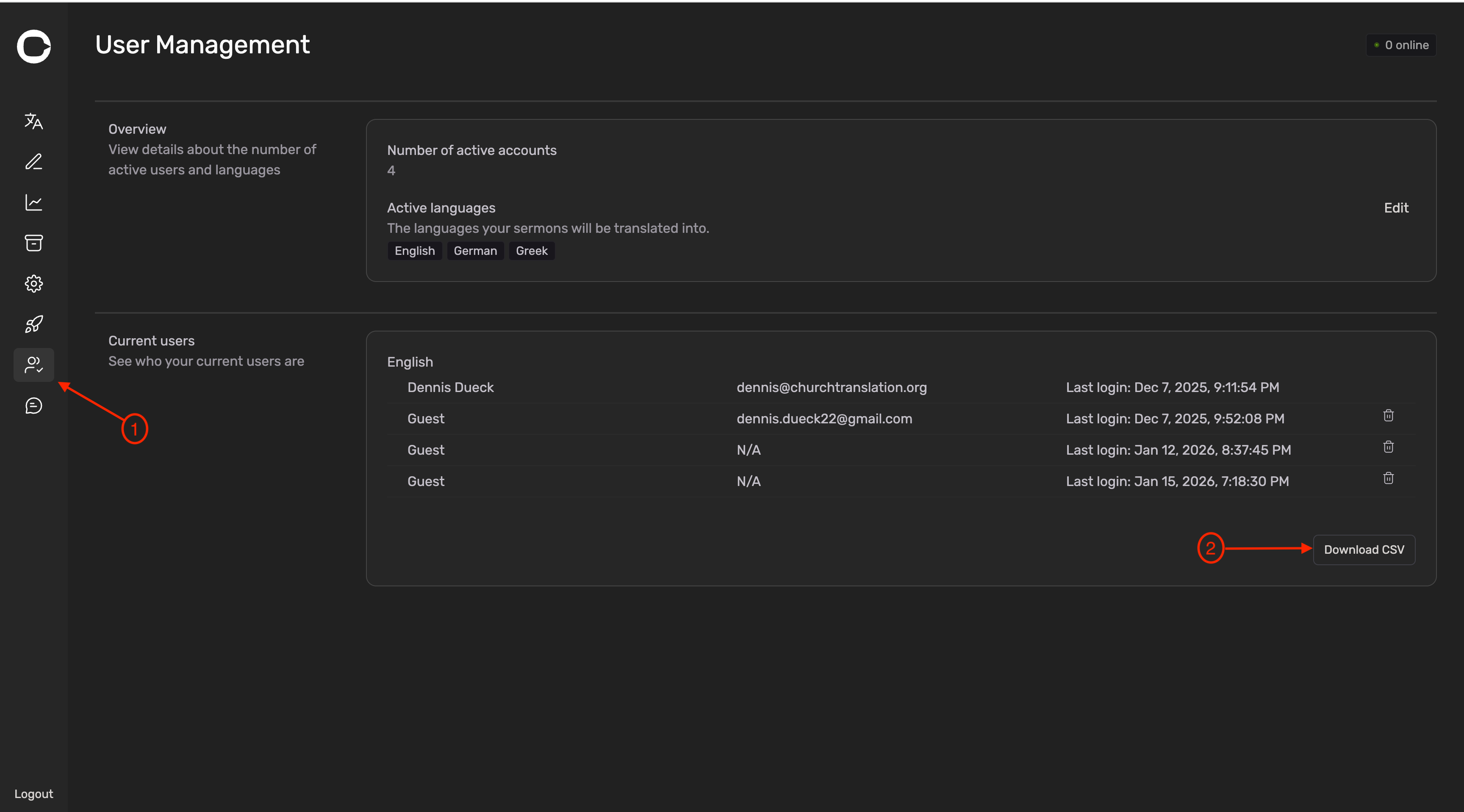
You can now export the list of current users as a CSV

Steps:

  • Go to User Management page

  • Click on Download CSV in the Current users section (bottom right)

  • The CSV will contain: Name and Email (if available), the selected language and the last login date

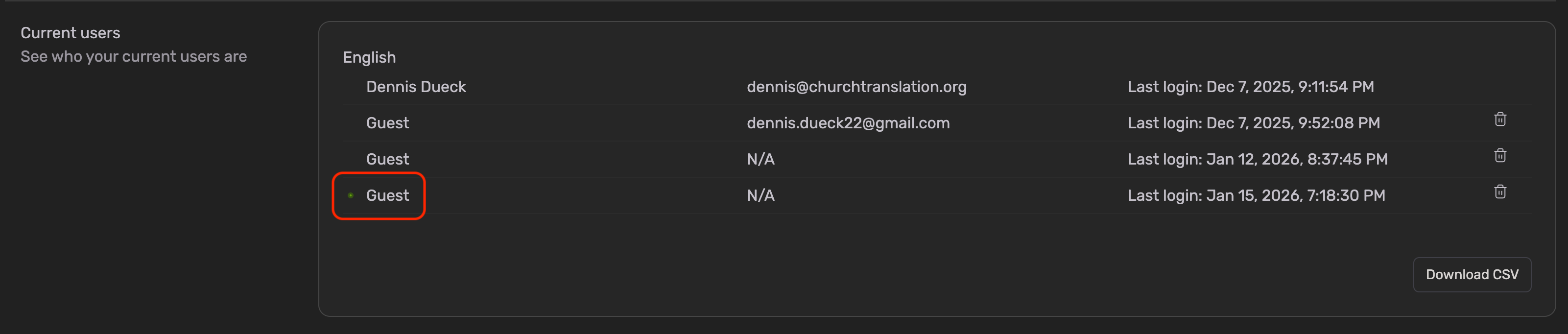
User Management page shows who’s online now

The user is online if there is a green dot next to the name

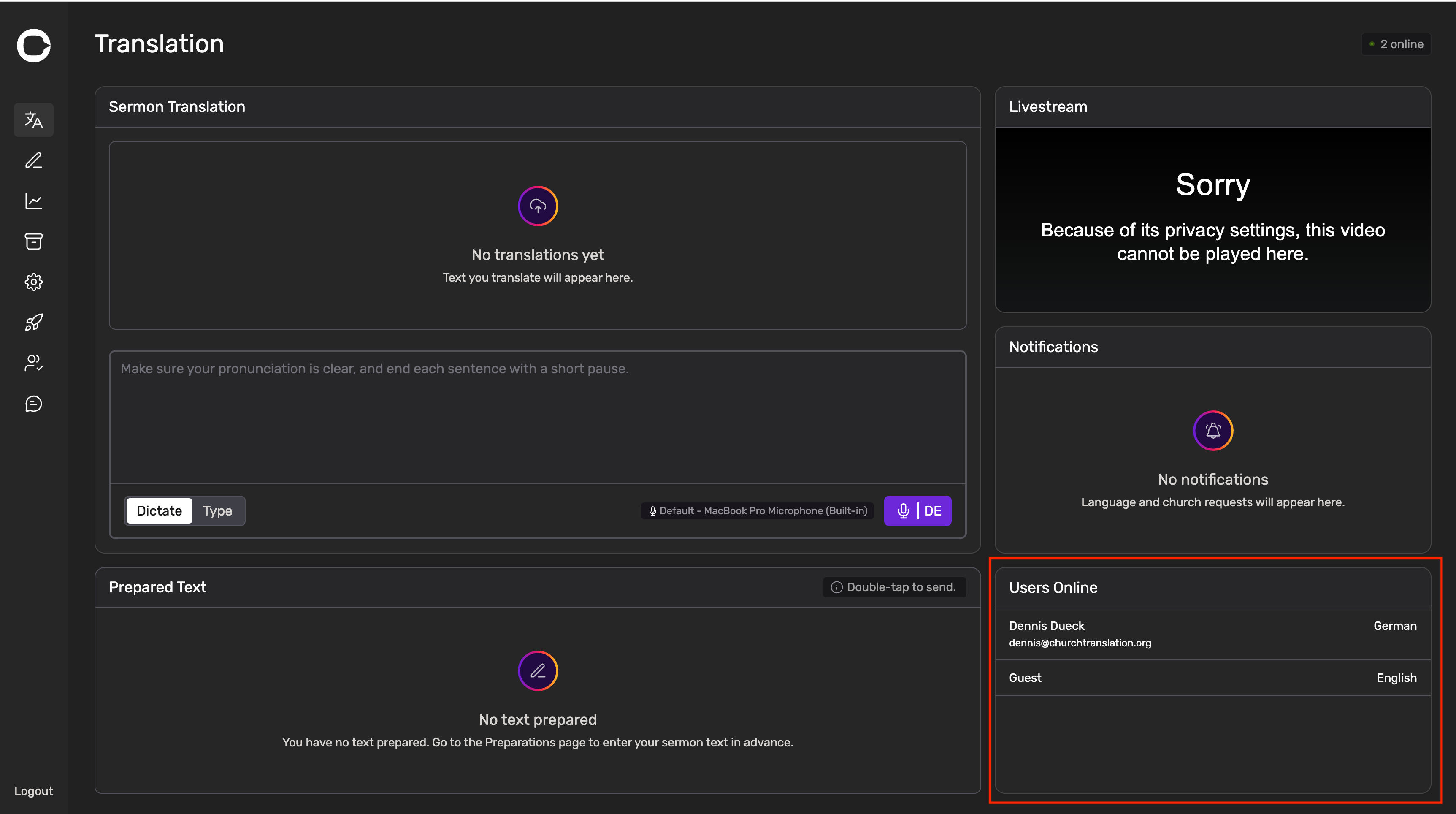
You can now see who is online on the Translation Page

We added a new section Users Online to the Translation Page.

  • Here you can see who is currently online

  • You can see

    • the Name and Email (if user signed up with Google or Apple)

    • the selected language

To find Online Users on a Smartphone, you will need to scroll down!

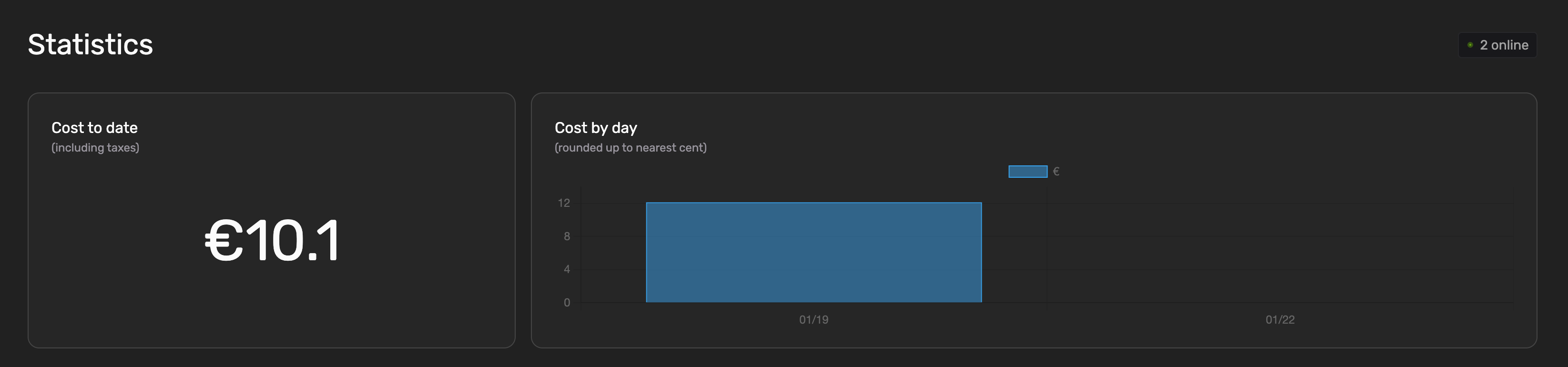
The Statistics Page will show the Cost by day accurately again

We introduced a bug during the last release, causing the Cost by day to show nothing. This is fixed now!

Split Sentences should not cut off too long text anymore

The split sentences feature on the Preparations Page did cut off text if it was too long. This is resolved now!

Please review the 👉 The Split Sentences Rules if you’re using Preparations as your translation tool.

Reduced lag for audio output on the mobile app

The text-to-speech (audio output) feature on the mobile app lagged behind the actual preaching quite a bit for two reasons:

  1. the audio files were downloaded from our server once the text was ready to be spoken

  2. the playback rate was set too low

Improvements

  1. We’re now downloading up to 5 audio files in advance to reduce the time between the end of one file and the start of another

  2. We increased the playback rate to 1.3 to not fall behind the actual preaching but still sound natural

  3. In case the listening feature falls behind the actual preaching, we will not automatically scroll to the bottom anymore. Instead scroll to the actual text spoken.

We will enhance our support process very soon

We will be rolling out detailed articles about Church Translation

  • Getting started guides

  • Tips and Tricks

  • General information (language support, pricing, etc)

The articles will be available in English and German.

Please checkout the first articles in 👉 The Help center.

We just started releasing articles in english. German will follow soon!

The Changelog moved from a page on the actual website to 👉 here and will be released in English and German going forward.

You will still receive emails!

PS: On that page you will also see “Feedback” and “Roadmap”. You will hear more about that soon!

Happy translation!

Speech to text, Connectivity, Online Indicator

🎙️ Intelligent Speech-to-Text Upgrade
  • AI-Driven Sentence Detection: Replaced "silence timers" with AI that detects natural sentence endings for faster, more responsive translations.

  • Unified Language Models: Replaced regional accents with a single, high-performance model per language (e.g., one model for all English accents).

  • Swiss German Note: While Swiss German is supported, we recommend using High German for maximum accuracy. Please test your specific setup before going live.

  • Keyword Optimization: Added a 100-keyword limit to maintain high speeds. Your existing custom keywords have been prioritized.

  • Action Required: We recommend testing the new system before your next Sunday service.

💰 Simplified Pricing Model
  • No Hourly Fees: The €1.00 per hour Speech-to-Text fee has been completely removed.

  • Flat Translation Rate: Pricing is now a simple €0.01 per 150 characters translated.

  • Invoice Updates: Existing customers may still see a "Speech to Text" line item on upcoming invoices, but the charge will be €0.00 while we transition.

📱 Mobile App & Connectivity
  • Stabilized Connections: Fixed real-time connection issues, specifically improving reliability for iOS users.

  • Smart Reconnection: If a connection drops, the app now automatically reconnects and uses a 3-second "polling" system to ensure no translations are missed.

  • Legacy Support: Restored compatibility for older smartphones to ensure all congregation members can stay connected.

🛠️ Additional Improvements
  • Accurate "Users Online" Count: Overhauled the tracking system to provide significantly more accurate live attendance data.

  • Extended Dictate Mode: Removed the 1-hour auto-disconnect to allow for uninterrupted workflows.

Earlier updates